Home / Projects
Hubert the Humidity Logger
I keep a Saab 900 from 1992 as a fun/project car and I’m generally trying to preserve it well to the extent that is reasonably possible.
One of the factors I want to be careful about is potential rust and and I’d like to maintain the humidity in the parking garage somewhat controlled. I was using several cheap humidity loggers and making sure to open up the garage whenever it is dry outside to avoid moisture/condensation inside. But it was annoying as to check the humidity, I had to actually physically be in the garage.
To improve on this, I need an IoT-like remote monitoring solution.
My garage is located a 10-minute walk from home so any WiFi/ESP32 solutions are not applicable and the desired solution had to be using 4G infrastructure.
To my surprise, I couldn’t find any ready-to-build DIY projects that could serve the purpose nor cheap devices I would be willing to pay for. So I decided to build something on my own.
Hardware
While searching for relevant projects, I came across this weather station project which uses the Makerfabs Maduino Zero 4G LTE. That looks pretty attractive:
- It includes a small ARM compatible with Arduino Zero
- It includes an Simcom 7600E modem, which supports 3G/4G/LTE (2G is already getting switched off where I live) and is able to shoot HTTP requests
- It has a convenient pin header to connect a breakout board with peripherals.
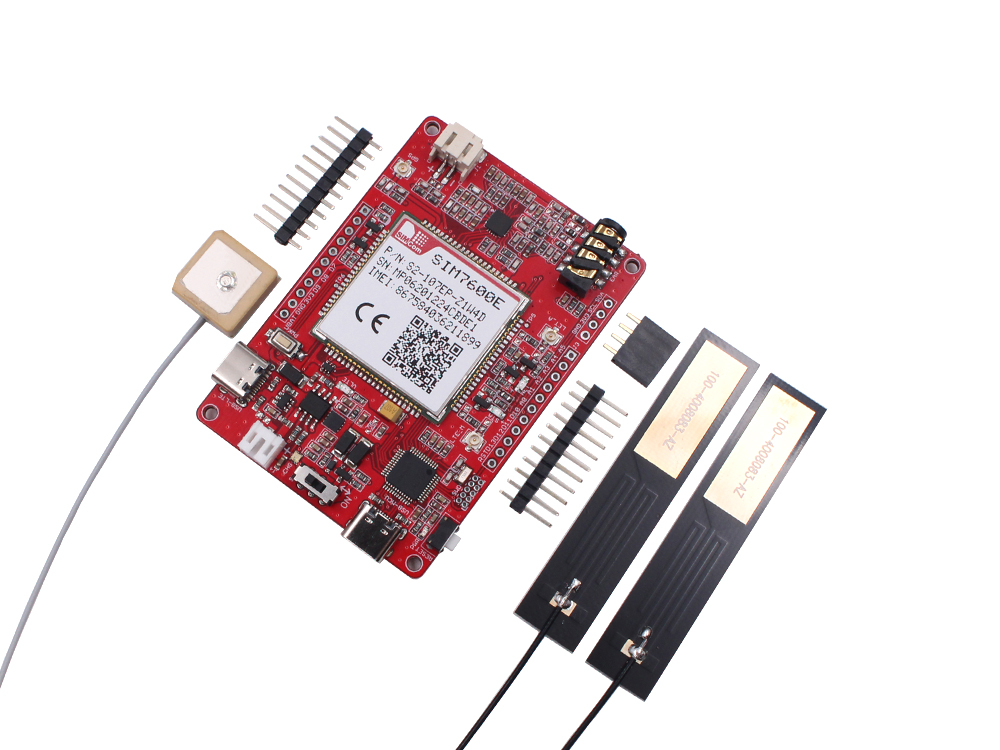
Maduino Zero 4G LTE board
To actually measure the humidity, I decided to use a simple breakout board of Bosch BME280 available from different sources for a few bucks. The electricity is present in my garage, so everything can simply be powered via a USB-C charger connected to Maduino.
The breakout board to host Maduino turned out pretty simple:
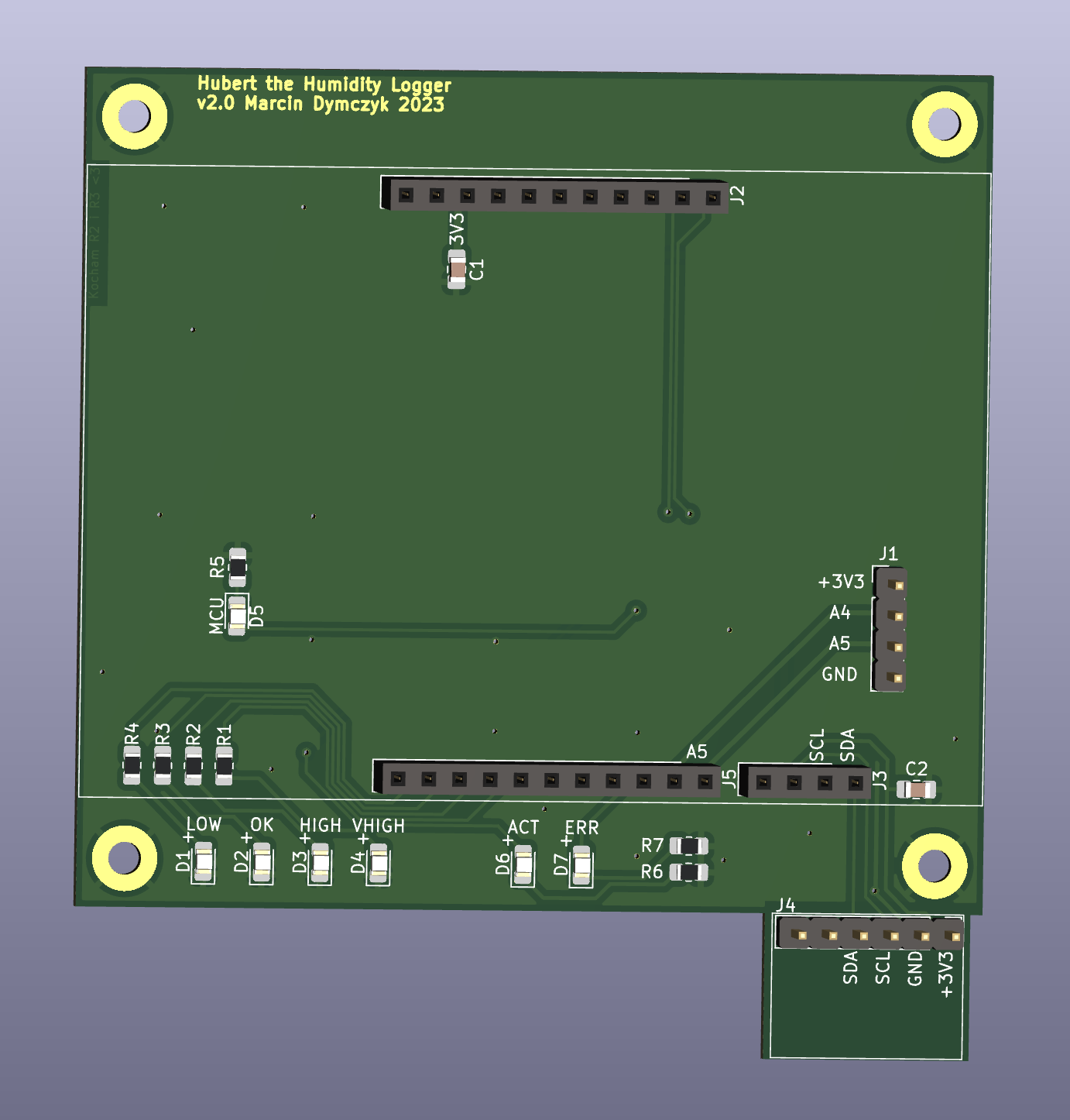
Simple headers to plug-in Maduino, 4 LEDs acting as a bargraph to visualize the humidity level directly, ACT and ERR LEDs to show that something is going on (or not 🙃). Additionally, a 6-pin header to connect the BME280. It is located further away from Maduino and without the ground plane to limit the thermal coupling.
Firmware
The idea is straightforward - Hubert should wake up at regular intervals (exact time not really critical), take a measurement, submit it to the remote server and go to sleep.
Taking a measurement
We plan to take measurement every few minutes, so the recommended way to do so is to manually trigger a measurement of BME280. Triggering measurements very often causes BME280 to heat up and bias the measurements so it’s not recommended.
Let’s take a look at the configuration:
bme280.setSampling(Adafruit_BME280::MODE_FORCED,
                    Adafruit_BME280::SAMPLING_X1,   // temperature
                    Adafruit_BME280::SAMPLING_X1,   // pressure
                    Adafruit_BME280::SAMPLING_X1,   // humidity
                    Adafruit_BME280::FILTER_OFF);
We turn on a forced mode, x1 sampling for all measured values and turned off any filter.
Then, to take a measurement, we call:
bme280.takeForcedMeasurement();
delay(200);
Which triggers a measurement and makes sure the sensor has enough time (200ms) to write the result into its registers before we read out the values:
const float temperature = bme280.readTemperature();
const float pressure_hpa = bme280.readPressure() / 100;
const float humidity = bme280.readHumidity();
Submitting to the remote server
The plan here was clear, but as usual with hardware it took a while to get it right. Simcom 7600 offers a built in HTTP stack which permits to just set all the fields and send a POST/GET request to the server.
A conversation between the MCU and the modem should look like this:
AT+HTTPINIT
OK
AT+HTTPPARA="URL","<url>"
OK
AT+HTTPPARA="USERDATA","Authorization: <auth_key>"
OK
AT+HTTPDATA=<data_length>,1000
DOWNLOAD
<data>
OK
AT+HTTPACTION=1
+HTTPACTION: 1,200,2
And it did, but the USERDATA never ended up in the header, so my POST request was never authorized by the server. I spent several evenings trying to figure this out. Once hopeless (and somewhat convinced something is wrong with the modem), I contacted Simcom.
For more details related to the modem and data POSTing, refer to influxdb.h and sim7600.h files.
Going to sleep
For many reasons (from the planet up until the electricity bill) I’ve invested extra effort to make sure Hubert is not eating too much energy. There are two means to do that:
- Use
ArduinoLowPowerlibrary to put the CPU into deep sleep during the wait intervals. - Use an AT command to enable the sleep mode of the modem (
AT+CSCLK=1) and then pull theDTRpin high whenever the modem should sleep (it still maintains the 4G connection though).
This turned out pretty efficient, with 30mA used during sleep and around 200mA during the 4G submission time. On average, the devices uses around 0.170W, which I think is acceptable.
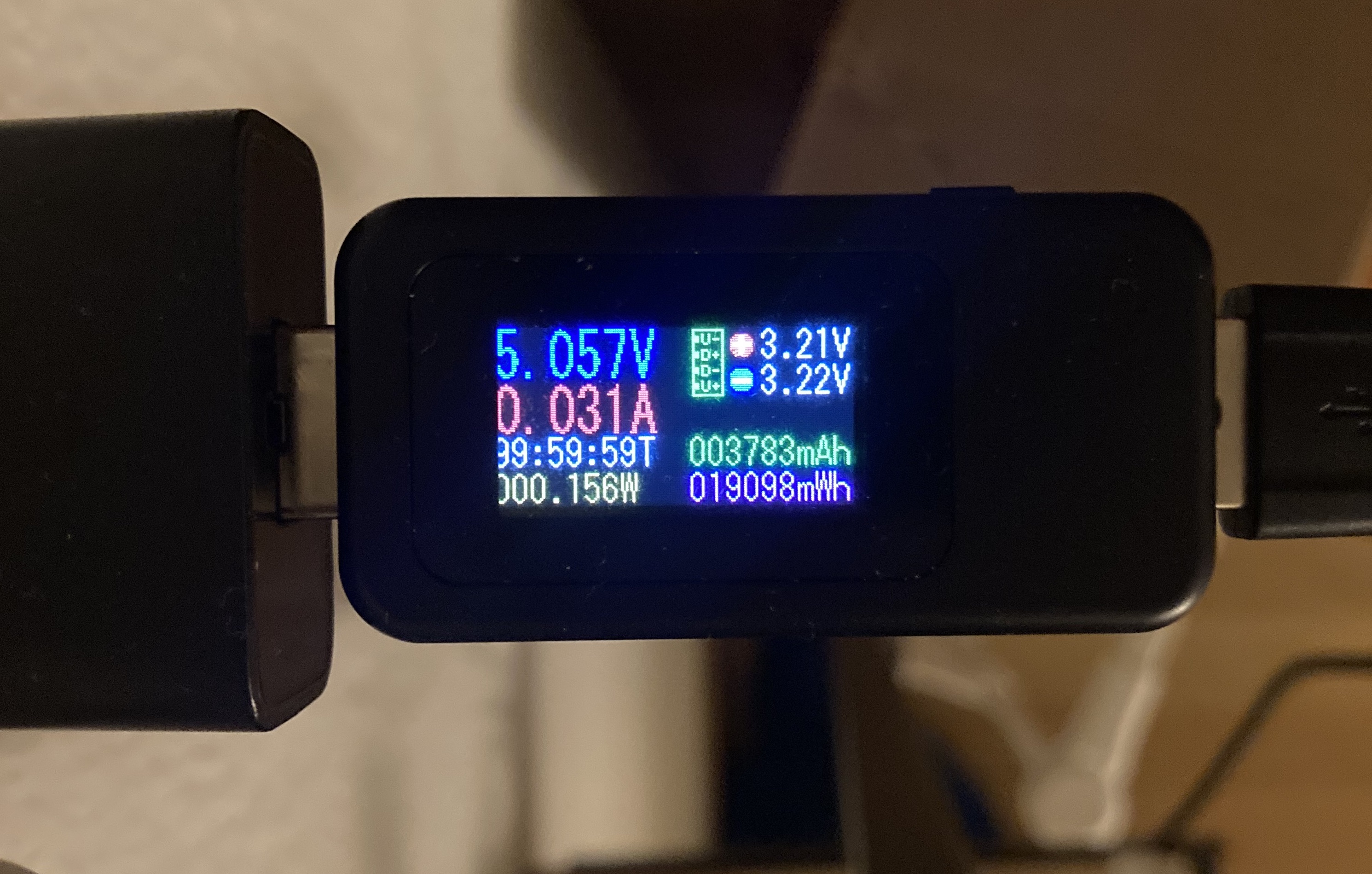
0.15W used during idle as measured on the USB power supply.
GUI and UX
For visualizing the data, I followed a recommendation from my colleague at work and used Influxdb and Grafana. Everything could be set up on my antique Raspberry Pi 1 Model B+.
Few details:
- Both Grafana and Influxdb are setup locally on Raspberry Pi.
- Raspberry Pi has a watchdog to reset it if it would stop responding.
- My router forwards the port to Raspberry.
- I’m using a dynamic DNS to avoid problems if my public IP changes (which happens every now and then).
In reality, the setup is super stable and I access the Grafana dashboard from any device on the home network.
The onboard indicators work as follow:
- When initializing:
- All LEDs light up as a test.
- If a problem occurs, ERR (red) starts to blink fast.
- When posting:
- Either ACT (green) or ERR (red) lights up for several seconds, depending whether the data was successfully submitted or not).
- When idle:
- Either ACT (green) or ERR (red) blink for a fraction of second every 2 seconds indicating whether the last POST action was successful. Given that the device might POST every few minutes, that’s a useful feature to immediately know whether everything worked as expected the last time.
Case
To finalize the project, I designed a 3d printable casing for Hubert. It permits to screw down the breakout board using standoffs, uses lightpipes to show the status to the outside world and contains a semi-closed compartment (isolated from the MCU/modem) for the BME280 sensor to reduce heat transfer to the possible extent.
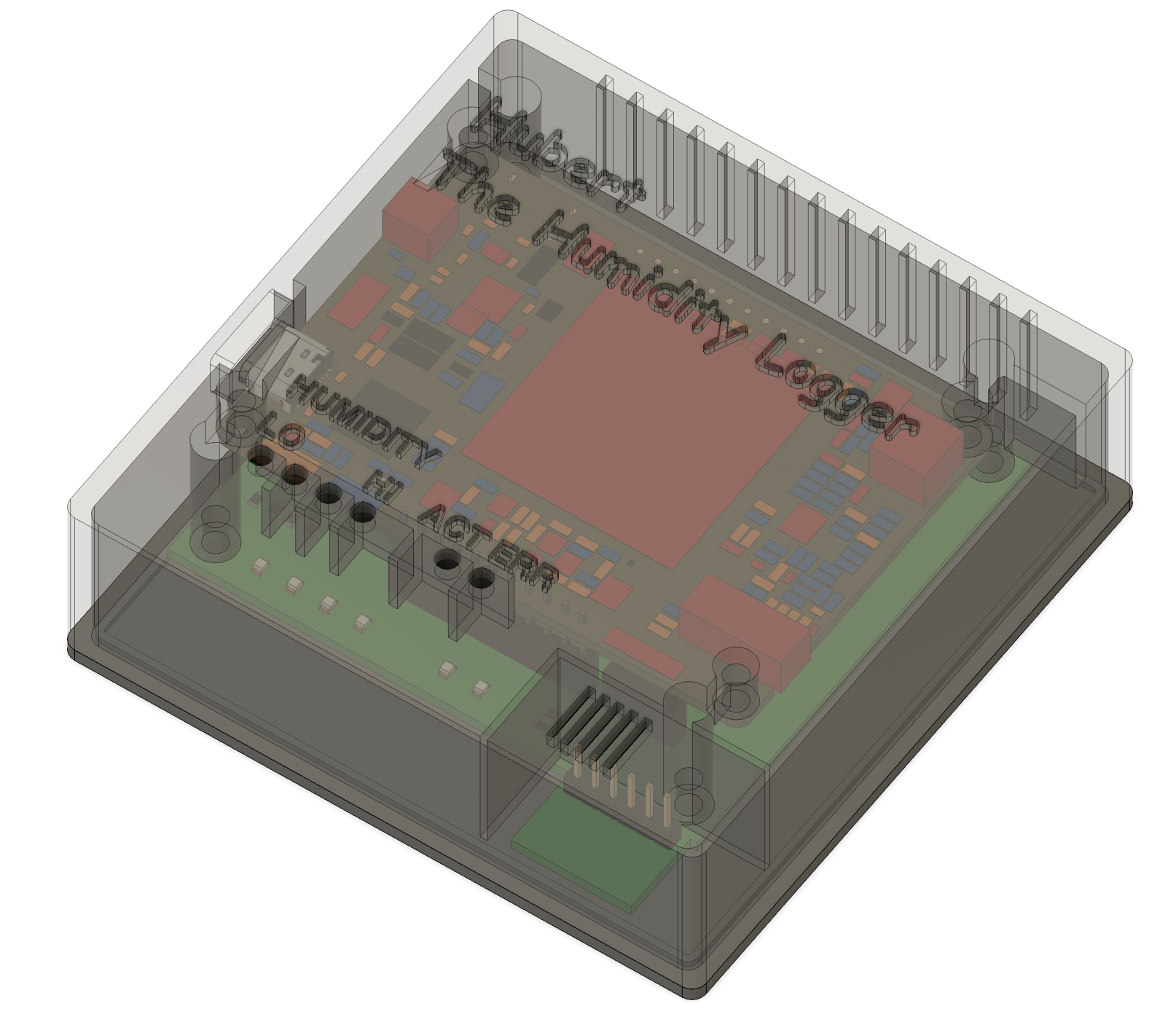
In reality, the case turned out pretty nice, with maybe the text not being super crisp, but still I like it a lot!
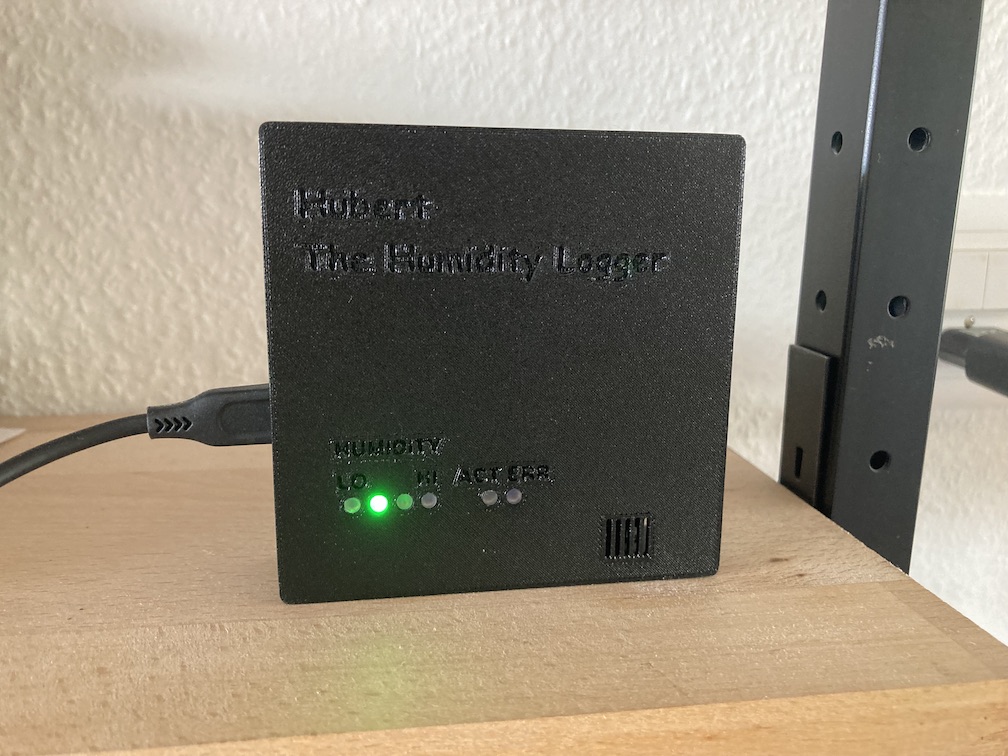
Hubert during early testing at home. Apparently, the humidity is within the green range!